This was exactly what i was looking for, found the best app after searching and installing few apps. There are a ton of information available on sim card. You simply download the app and from there, you can have whatever you want. 😍
1,000,000+
All Your Device Info in One Place
Instantly access your SIM card details, network information, device specs, and battery health without digging through endless settings. Perfect for support calls, dual-SIM management, or anytime you need your device information fast.
1,000,000+
All Your Device Info in One Place
Instantly access your SIM card details, network information, device specs, and battery health without digging through endless settings. Perfect for support calls, dual-SIM management, or anytime you need your device information fast.
Everything you need to know about your device
1
Complete SIM & Network Details
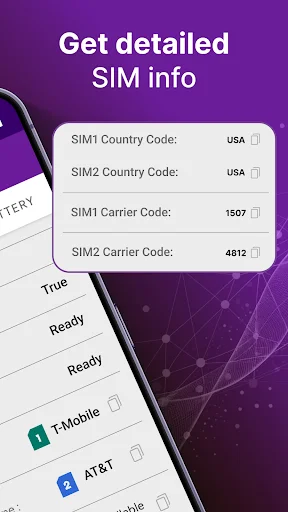
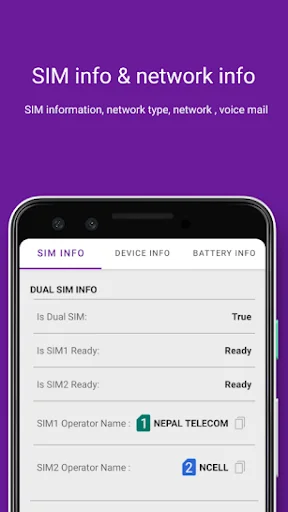
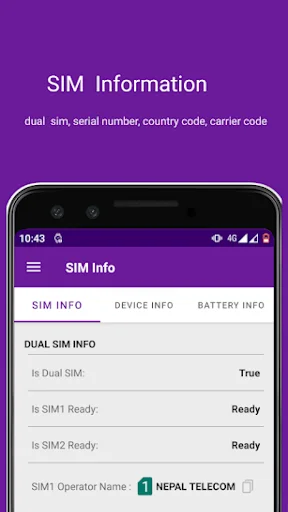
View your carrier, operator, country code, and SIM information at a glance. Dual-SIM users can inspect both cards separately and compare details side by side, making it easy to manage multiple numbers.
2
Device Specs Instantly Available
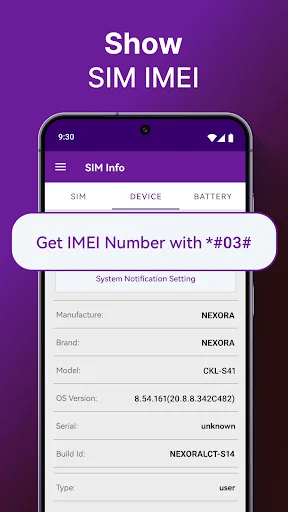
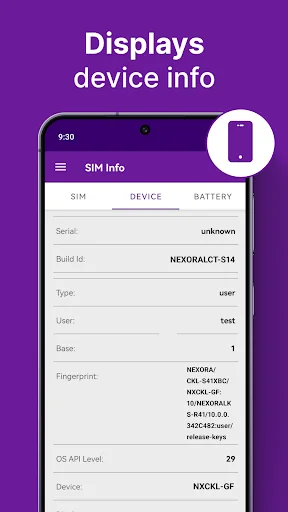
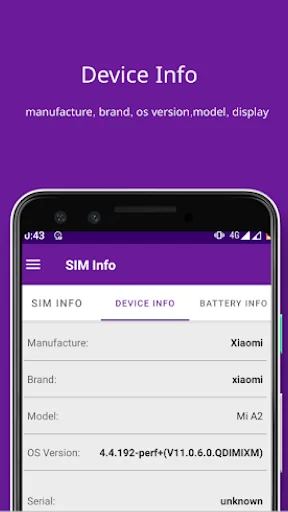
Find your phone's manufacturer, model, software version, and build details in seconds. Never fumble for your device information during support calls or when setting up new services.
3
Battery Health at a Glance
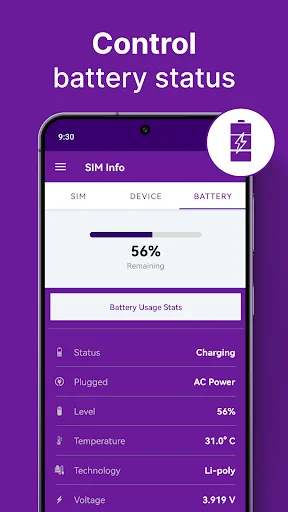
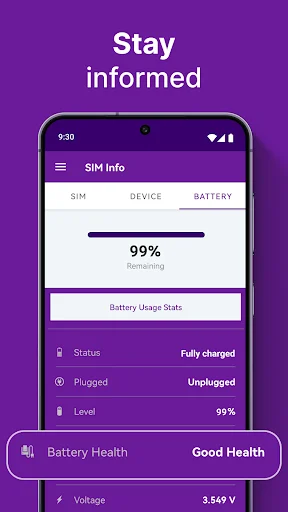
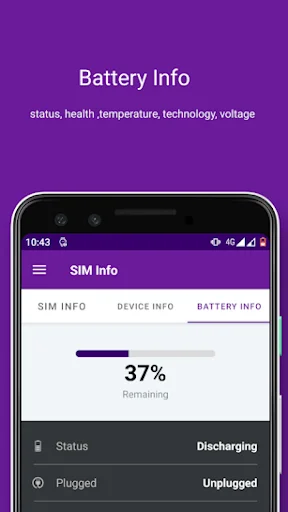
Check your battery's health, charging status, temperature, and condition whenever you need. Understand how your battery is performing without guesswork or complicated menus.
4
Works Completely Offline
Access all your device information without an internet connection. Your data stays on your device, giving you instant access anywhere while keeping your privacy intact.
About
What is SIM Toolkit & Network info?
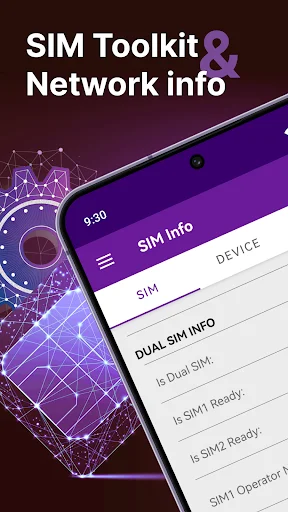
An Android information viewer for checking SIM card, cellular network, device, and battery details in one place. Look up the information your phone makes available when you need to identify your carrier, understand your device, or gather details for a support conversation.
View locally available device and SIM information without an internet connection. The app presents information; it does not improve network reception, repair a battery, or optimize your phone.
Who is SIM Toolkit & Network info for?
Use it when you need your phone's model or software build, want to inspect available SIM details, or are comparing the information shown for two SIM cards on a supported dual-SIM phone.
What does SIM Toolkit & Network info do?
📶 Show SIM and network details
View available country, operator, and carrier information. SIM serial numbers and subscriber identifiers are shown only where Android and the device allow access. On supported dual-SIM devices, inspect the separate SIM entries and their readiness information.
📱 Identify your device
Find manufacturer, brand, model, software version, and build details. The build fingerprint is a software-build identifier, not a scan of your finger or a biometric authentication feature.
🔋 Read battery information
Check reported battery health, status, temperature, and charging details.
☎ View voicemail and contact information
Look up available voicemail names and numbers, along with contact names and phone numbers. Viewing these details does not change your carrier's voicemail settings.
How does SIM Toolkit & Network info work?
- Open the app and choose the information section you need.
- Use the SIM, Device, or Battery tabs to inspect the relevant fields.
- On a supported dual-SIM phone, check the entries for each SIM separately.
- Use the available details when identifying your device or describing an issue to support.
Some fields may be unavailable or show an unknown value. The app cannot display information that Android or your device does not make accessible.
Compatibility and requirements
The app is for Android and contains ads and in-app purchases. Available fields depend on your device, SIM configuration, Android version, and access permissions.
Android restricts access to identifiers such as SIM serial numbers and subscriber IDs, particularly on newer versions. Not every identifier is available on every phone. Offline viewing covers locally available information.
SIM Toolkit & Network info keeps available SIM, device, and battery information together for clearer everyday reference.
See your device information organized and clear
Trusted by over 1 million Android users
This application gives you pretty quick access to information may need and doesn't Jackie with a bunch of ads so I'm pretty happy about if you're looking for quick info give it a shot
this is a great app. it does all that it's supposed to, but for free. all the rest want $30.00 more.
It actually works and that's 100 in my book give it a try you won't regret it
this app is so amazing, I have never encountered an app better than this❤❤❤❤
in a matter of second it gave me the information I needed. good app