Verrrrrry Quick, precise, accurate, even with big files. Just merged 350 pdf's over 4k+ pages on total. Merged in less than 30 seconds 🤨 I was actually expecting it to be like rendering a hd video because the pdf is mostly pictures😅 But so fast... Had to rate. The app innocently asked me to rate after I was done with the merging 😊. I felt it was well deserved... Nice work and it isn't a paid app... I would pay for an app like this🙄. Minimal ads too
1,000,000+
Merge PDFs in Seconds, Not Hours
Combine hundreds of PDF files into one organized document with a single tap. Fast, free, and incredibly simple to use.
1,000,000+
Merge PDFs in Seconds, Not Hours
Combine hundreds of PDF files into one organized document with a single tap. Fast, free, and incredibly simple to use.
Everything You Need for Perfect PDF Management
1
Lightning-Fast Processing Speed
Merge 350+ PDF files in under 30 seconds. No more endless waiting or slow processing. Get your documents combined and ready when you need them.
2
Simple Drag-and-Drop Organization
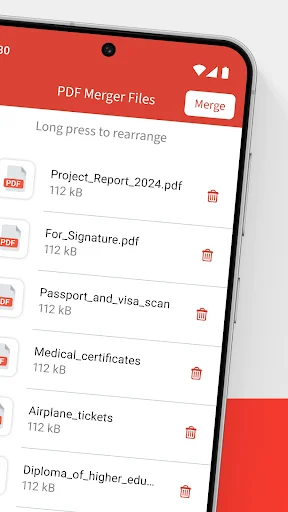
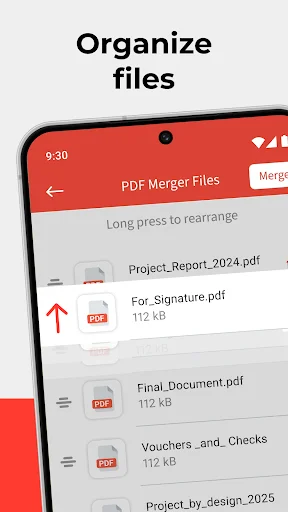
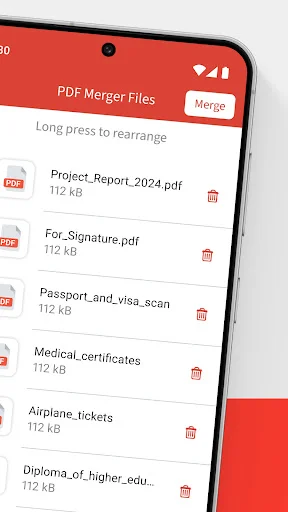
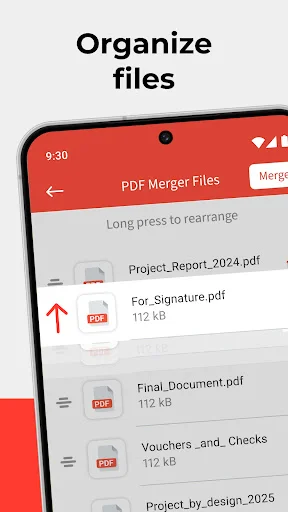
Arrange your files exactly how you want with easy drag-and-drop. No technical skills needed – just tap, organize, and merge in three simple steps.
3
Your Files Stay Private
All processing happens directly on your device. No uploading to cloud servers means your sensitive documents remain completely secure and private.
4
Merge and Split in One App
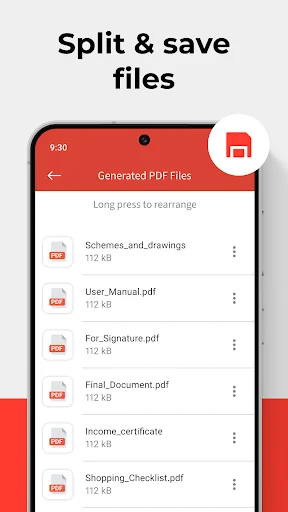
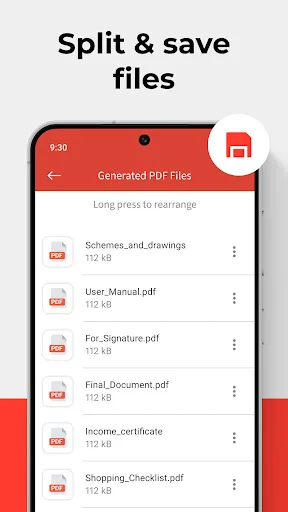
Not just a merger – split large PDFs into smaller files too. Complete document control without switching between different tools or apps.
1
Lightning-Fast Processing Speed
Merge 350+ PDF files in under 30 seconds. No more endless waiting or slow processing. Get your documents combined and ready when you need them.
2
Simple Drag-and-Drop Organization
Arrange your files exactly how you want with easy drag-and-drop. No technical skills needed – just tap, organize, and merge in three simple steps.
3
Your Files Stay Private
All processing happens directly on your device. No uploading to cloud servers means your sensitive documents remain completely secure and private.
4
Merge and Split in One App
Not just a merger – split large PDFs into smaller files too. Complete document control without switching between different tools or apps.
About
PDF Merger App: Merge PDF Files with One Touch!
Now it is easy to Merge Multiple PDF Files into one! Our PDF Merger App combines several documents at the same time with just one click. No longer will you waste time merging and documenting files. It's the perfect software utility for anyone needing document merging – be it work, school or personal use! Easily combine PDF files into one with just a few clicks.
PDF Merger And Splitter - Key Features
- Combine different content in one document – PDF Merger App
- Tool allows merging and splitting files with easy drag and drop feature
- Combine files and folders with simple and easy user interface
- PDF Combiner feature makes sure no quality is lost from the original files
- Digital folders make it easy to find and organize combined and split files
- Never lose important documents! Files stay on device for secure processing
PDF Merger App: Easy to Combine PDF in Few Steps!
Combining files has never been easier! Our File Merger App allows you to Merge Multiple PDF Files and merge them into one in simply a few steps! With the use of the PDF joiner tool, you can rearrange documents to your liking before combining them into one. You can smoothly and reliably combine numerous documents for your notes, reports or even presentations and this tool makes the entire process easy. Save time and stay organized—combine PDF files into one today!
How to Use This PDF Joiner Tool
- Install the PDF Merger App and click on Choose PDF
- Pick the documents you wish to merge from your mobile device
- Organize the files in the preferred order with the help of drag-and-drop
- Click Merge which will allow you to Merge PDF Files into one document
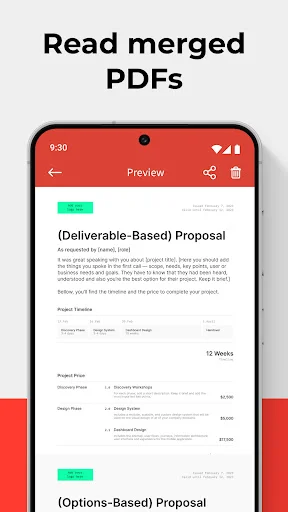
- Save the merged document as now it can be accessed anytime!
Powerful PDF Merger And Splitter
This PDF splitter and merger not only enables you to Merge PDF Files but it also lets you separate big size PDF's into individual documents making document management easier. It doesn't matter if you are looking for a PDF combiner to merge documents, reports or a file merger app to split large documents, this tool can do it all. Combine PDF files into one and simplify your document workflow.
Organize Your PDFs Like a Pro
Utilize this PDF joiner tool efficiently to manage and organize all your documents in one place. With the help of PDF combiner, your files will be easily accessible and well structured. Tired of keeping abreast with various unorganized files. Don't fret because we got a solution for you. Try this file merger app. Merge reports, invoices, or forms—combine PDF files into one seamless document.
Merge Multiple PDF Files with Ease!
All your issues of separately structured pdf files are over once you download and install the PDF merger app. Enjoy the pleasure of merging innumerable pdf files into one and avoid spending endless hours trying to grasp the messy organization of documents. Whether you're at work or school, this file merging app has the ability to simplify everything. Try our free tool to combine PDF files into one instantly. Join the millions of satisfied users and get PDF Merger And Splitter today.
About
PDF Merger App: Merge PDF Files with One Touch!
Now it is easy to Merge Multiple PDF Files into one! Our PDF Merger App combines several documents at the same time with just one click. No longer will you waste time merging and documenting files. It's the perfect software utility for anyone needing document merging – be it work, school or personal use! Easily combine PDF files into one with just a few clicks.
PDF Merger And Splitter - Key Features
- Combine different content in one document – PDF Merger App
- Tool allows merging and splitting files with easy drag and drop feature
- Combine files and folders with simple and easy user interface
- PDF Combiner feature makes sure no quality is lost from the original files
- Digital folders make it easy to find and organize combined and split files
- Never lose important documents! Files stay on device for secure processing
PDF Merger App: Easy to Combine PDF in Few Steps!
Combining files has never been easier! Our File Merger App allows you to Merge Multiple PDF Files and merge them into one in simply a few steps! With the use of the PDF joiner tool, you can rearrange documents to your liking before combining them into one. You can smoothly and reliably combine numerous documents for your notes, reports or even presentations and this tool makes the entire process easy. Save time and stay organized—combine PDF files into one today!
How to Use This PDF Joiner Tool
- Install the PDF Merger App and click on Choose PDF
- Pick the documents you wish to merge from your mobile device
- Organize the files in the preferred order with the help of drag-and-drop
- Click Merge which will allow you to Merge PDF Files into one document
- Save the merged document as now it can be accessed anytime!
Powerful PDF Merger And Splitter
This PDF splitter and merger not only enables you to Merge PDF Files but it also lets you separate big size PDF's into individual documents making document management easier. It doesn't matter if you are looking for a PDF combiner to merge documents, reports or a file merger app to split large documents, this tool can do it all. Combine PDF files into one and simplify your document workflow.
Organize Your PDFs Like a Pro
Utilize this PDF joiner tool efficiently to manage and organize all your documents in one place. With the help of PDF combiner, your files will be easily accessible and well structured. Tired of keeping abreast with various unorganized files. Don't fret because we got a solution for you. Try this file merger app. Merge reports, invoices, or forms—combine PDF files into one seamless document.
Merge Multiple PDF Files with Ease!
All your issues of separately structured pdf files are over once you download and install the PDF merger app. Enjoy the pleasure of merging innumerable pdf files into one and avoid spending endless hours trying to grasp the messy organization of documents. Whether you're at work or school, this file merging app has the ability to simplify everything. Try our free tool to combine PDF files into one instantly. Join the millions of satisfied users and get PDF Merger And Splitter today.
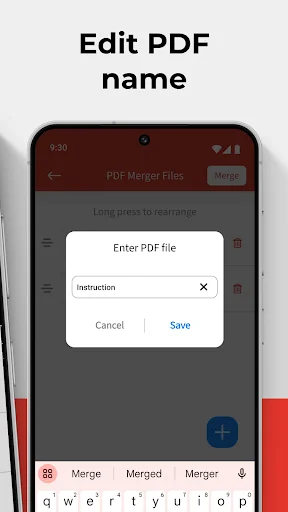
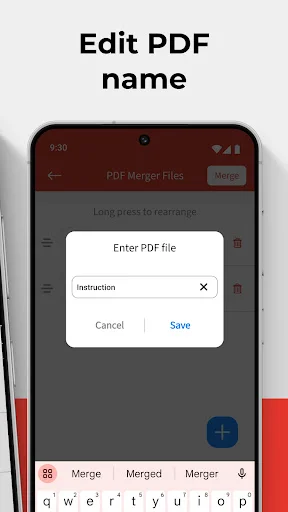
See How Easy PDF Merging Can Be
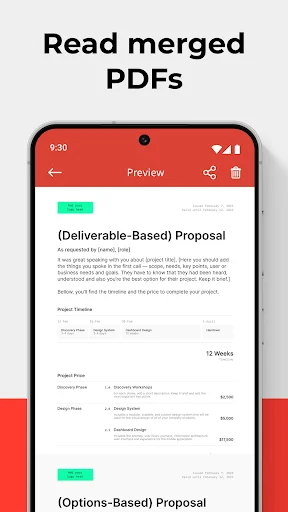
Join Over 1 Million Happy Users
Was almost crying because other app failed to combine all my 38 pdf files, but I found this app and it combined everything under few seconds with a good quality result! I could give this 100 stars if I could! This app is a total lifesaver!! Thank you so much!!!!
I tried to Google "how to merge PDF files into one" and the results were different, until it showed me this app then downloaded it, now look what I saw... I can study easily now by organizing my pdfs into one. best app for merging PDFS in my opinion.
It can be used een in free trial and it's really satisfying because other apps ask for payment first before the service but this app offers free trial service before charging you if you continue to subscribe. Definitely a must in your installed apps
lifesaver. my usual go to app wouldn't let me merge anymore than 500 pages at a time. desperately searching for a cheap and safe way to do it by an imposing deadline, absolutely thrilled to find this FREE app to do it. and in seconds!
Its just excellent. Exactly does what it says and no bullsh*t like tons of apps out there. If you work a lot with pdfs and want to have it all under one file then go for this app. Life seems so easy for me after using this app.