The first time I was set a dish, I had no idea how to set a dish, but when I installed this app, my work was very easy for me. In just 10 minutes, I was finding a satellite. very fantastic app, I will recommend everyone
1,000,000+
Align Your Satellite Dish Like a Pro
Use augmented reality and professional alignment tools to set up your satellite dish perfectly. Save money on installation costs while getting accurate results every time.
1,000,000+
Align Your Satellite Dish Like a Pro
Use augmented reality and professional alignment tools to set up your satellite dish perfectly. Save money on installation costs while getting accurate results every time.
Everything You Need for Perfect Alignment
1
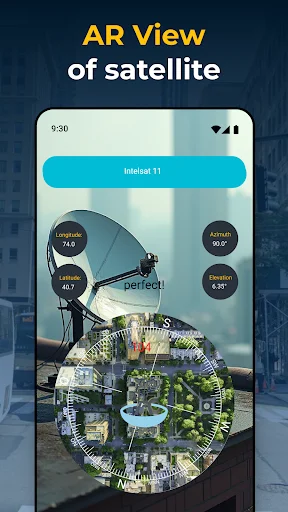
See Satellites in Real-Time
Point your phone at the sky and watch satellites appear through augmented reality. No more guessing where to aim your dish – see the exact position of your target satellite overlaid on your camera view.
2
Get Professional Alignment Data
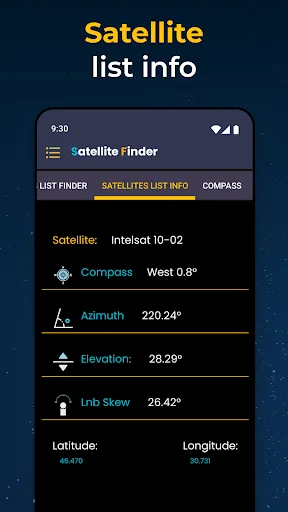
Access precise azimuth, elevation, and LNB skew information for accurate dish setup. The same technical details professionals use, now available right on your phone to ensure perfect signal reception.
3
All Leveling Tools Included
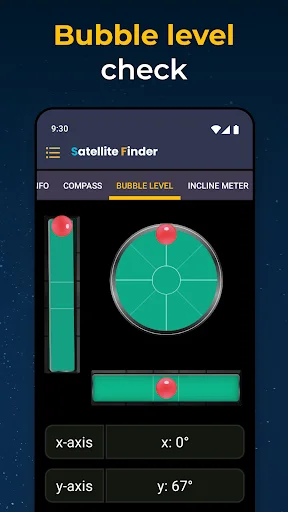
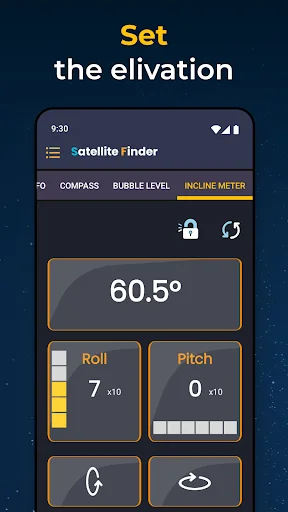
Check your dish position with built-in bubble level, inclinometer, and digital level meter. No need to buy separate tools – everything you need for proper dish orientation is in one convenient app.
4
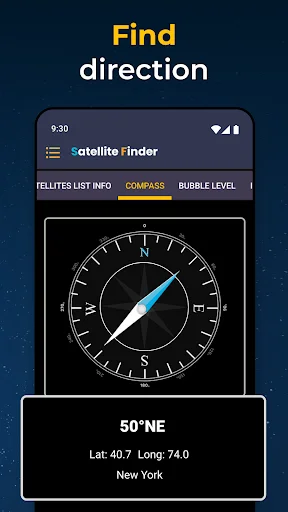
Simple Compass Guidance
Follow easy directional guidance to point your dish toward the right satellite. The compass feature takes the confusion out of alignment, showing you exactly which way to turn your antenna.
About
What is Satellite Finder(Dish Pointer)?
An Android satellite finder for planning satellite dish alignment. Use augmented reality, compass guidance, and satellite angle information to understand where to point your dish. Built-in leveling tools help you check orientation and slope during setup.
Who is Satellite Finder(Dish Pointer) for?
For people setting up a TV satellite dish for the first time, adjusting an existing antenna, or looking for a phone-based reference while working on an installation. It also provides supporting tools for installers who want satellite direction and angle information together.
Use it when you need to identify a target in the available satellite list and compare its direction with your planned dish position.
What does Satellite Finder(Dish Pointer) do?
- AR satellite view: Use augmented reality to visualize satellite positions while pointing your phone toward the sky.
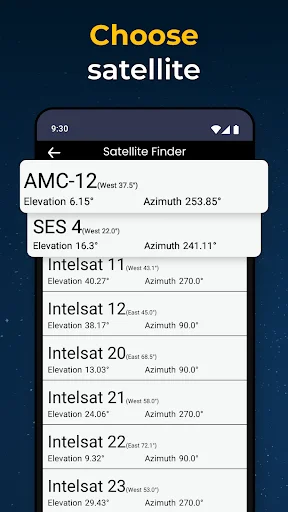
- Satellite selection: Browse the available TV satellites and choose the target for your setup.
- Direction guidance: Use the compass to help orient your dish toward the selected satellite.
- Alignment details: View azimuth, elevation, and LNB skew information for a more informed setup.
- Map reference: Explore the map and satellite information while planning the installation.
- Bubble level: Check level using circular and linear indicators.
- Inclinometer: View slope angles while checking orientation.
- Level meter: Use digital display modes as an additional reference during adjustment.
Azimuth describes the horizontal direction, elevation describes the upward angle, and LNB skew describes the rotation setting of the dish's receiving component. These references help you understand the different adjustments involved in satellite dish alignment.
How does Satellite Finder(Dish Pointer) work?
Choose your target from the satellite list. Review its direction and angle details, then use the AR view or compass as a pointing reference. Consult the bubble level and inclinometer when checking level and slope during setup.
Work through the direction and angle information as you adjust the antenna. The app brings visual guidance and measurement tools together so you can refer to them during the alignment process.
Compatibility and requirements
This app is available for Android. Compass and orientation readings depend on your device's sensors. Choose from the satellites included in its available list. The app contains ads and offers in-app purchases.
Privacy
The app may share device or other identifiers with third parties.
Satellite Finder(Dish Pointer) brings satellite direction, angle references, and leveling tools together to support dish alignment.
About Permissions:
- Location: Allows an application to access your location.
See the App in Action
Trusted by Over 1 Million Users
Excellent. The app has helped a lot in terms of locating the correct satellite I am looking for. Also gives the accurate Azimuth and elevation of the satellite I am looking for.
Downloaded the app to realign the existing satellite dish that had moved due to a storm and five minutes later, bingo ! Every channel back in working order. Great stuff !
Best app for Dish Antenna setting. You will get all types of compus and lavel measuring instruments in this app. Very good App.
This is the best, app for setting up my dish antenna.I recommend that you use it, it will save you money
I managed to mount DSTV without a signal finder device. just with this app all is well