This is an amazing app!!!!! It helps me to send my coordinates with picture to my clients to review.

1,000,000+
Add Location and Time to Every Photo
Turn your phone camera into a powerful documentation tool. Add visible location stamps, dates, times, and more to your photos – perfect for work documentation, travel memories, and site records.
1,000,000+
Add Location and Time to Every Photo
Turn your phone camera into a powerful documentation tool. Add visible location stamps, dates, times, and more to your photos – perfect for work documentation, travel memories, and site records.
Powerful features that make photo documentation simple
1
Never Forget Photo Locations
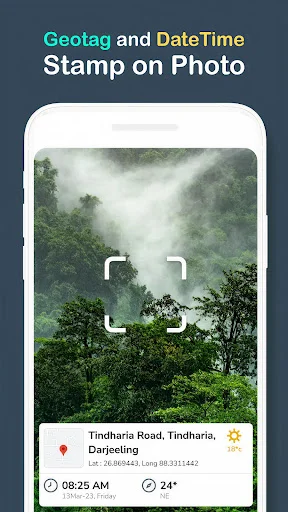
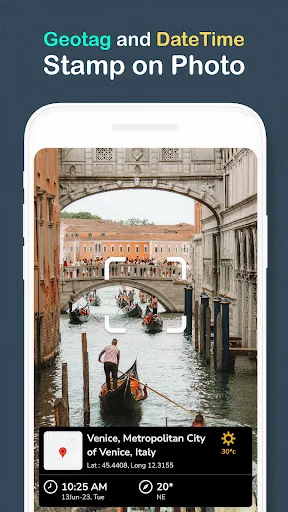
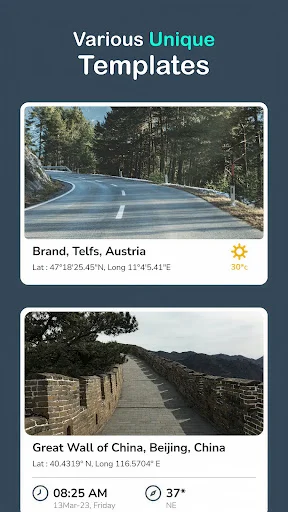
Add visible location stamps with addresses, coordinates, and map details to every photo. Your images carry their own context, making it easy to remember exactly where each shot was taken without relying on hidden data.
2
Complete Time and Date Records
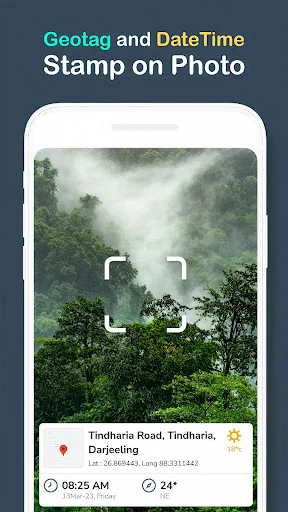
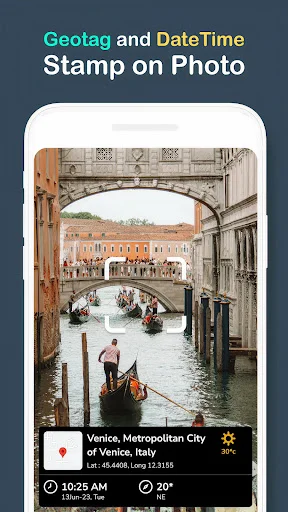
Include clear date and time stamps on your photos to create reliable records. Perfect for documenting construction progress, tracking site visits, or keeping organized travel memories with visible proof of when each moment happened.
3
Customize Your Photo Stamps
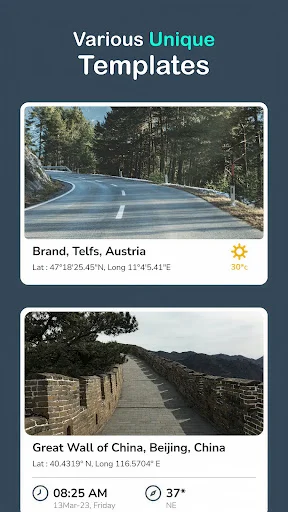
Choose from different stamp designs and see a live preview before capturing. Add extra details like compass direction, weather, temperature, and altitude to give your photos the exact context you need.
4
Organize and Share Effortlessly
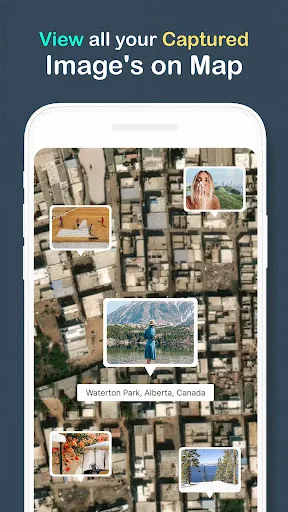
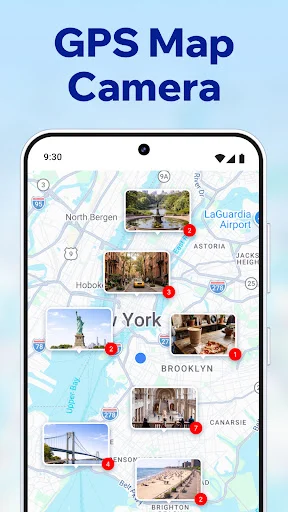
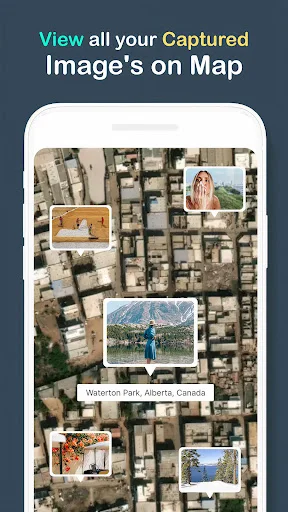
Browse your stamped photos by location on an interactive map view. Save your documented images and share them through email or messaging – recipients see all the location and time details instantly without asking questions.
1
Never Forget Photo Locations
Add visible location stamps with addresses, coordinates, and map details to every photo. Your images carry their own context, making it easy to remember exactly where each shot was taken without relying on hidden data.
2
Complete Time and Date Records
Include clear date and time stamps on your photos to create reliable records. Perfect for documenting construction progress, tracking site visits, or keeping organized travel memories with visible proof of when each moment happened.
3
Customize Your Photo Stamps
Choose from different stamp designs and see a live preview before capturing. Add extra details like compass direction, weather, temperature, and altitude to give your photos the exact context you need.
4
Organize and Share Effortlessly
Browse your stamped photos by location on an interactive map view. Save your documented images and share them through email or messaging – recipients see all the location and time details instantly without asking questions.
About
What is GPS Map Camera?
Add location and time information to photos taken on your Android phone. This GPS camera combines a picture with a visible stamp containing details such as an address, coordinates, date and time, helping you remember the context of a shot.
Choose a stamp design, check the live preview and capture your photo. Save the result for your records or share a picture with its location details already visible.
Who is GPS Map Camera for?
Use location-stamped photos to document a site visit, record construction progress, organize property pictures or keep track of places on a trip. A photo with a date and location can give colleagues or friends more context than an unlabeled image.
Travelers, field workers and event organizers can keep visual notes of places and moments. The stamps help explain a photo; check their details before relying on them in a report or sharing them publicly.
What does GPS Map Camera do?
- Add location stamps with an address, latitude and longitude to your photos.
- Include a date and time stamp so the picture carries a visible reference for when it was taken.
- Show additional context such as compass direction, temperature, weather and altitude when available.
- Choose different stamp designs and customize the live preview to suit the photo.
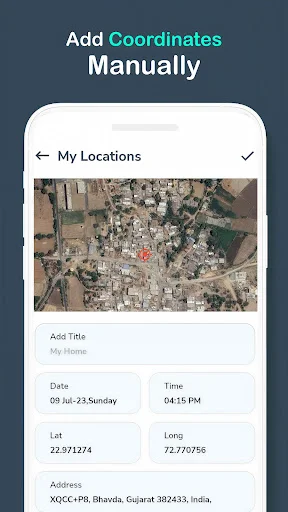
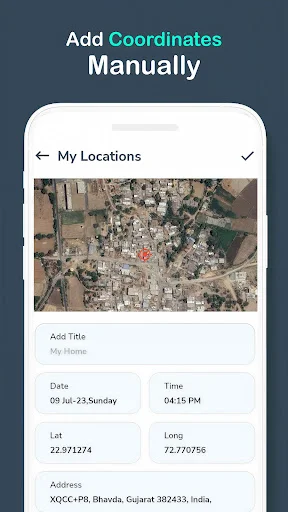
- Use My Locations to enter location details manually, including a title and coordinates.
- Browse captured photos by their associated location on a map.
- Save stamped photos and share them through compatible apps, including email or messaging.
How does GPS Map Camera work?
Open the camera, allow camera and location access for taking and geotagging pictures, and enable your phone's location services. Select a stamp template and check the address, coordinates, date and time shown in the preview before capturing the photo.
Use the available location fields when you need to enter details manually. Review the saved picture, then keep it with your records or open the sharing options. The map view offers another way to browse captured images by their associated location.
Compatibility and requirements
Automatic location stamping depends on your phone's location access and available positioning information. Accuracy can vary with device settings, signal conditions and surroundings, particularly indoors or near tall buildings. Compass and other readings also depend on the information available to your device.
A visible stamp is a label, not independent proof that a photo was taken at a particular place or time. Manually entered information needs checking, and a displayed coordinate should not be treated as a guaranteed exact measurement.
Sharing a stamped photo can reveal an address or coordinates to its recipients. Check that you are comfortable sharing those details. Online sharing requires a connection and a compatible app. The app contains ads and offers in-app purchases.
GPS Map Camera helps you keep location and time context alongside your photos, making site records and travel pictures easier to understand and share.
About
What is GPS Map Camera?
Add location and time information to photos taken on your Android phone. This GPS camera combines a picture with a visible stamp containing details such as an address, coordinates, date and time, helping you remember the context of a shot.
Choose a stamp design, check the live preview and capture your photo. Save the result for your records or share a picture with its location details already visible.
Who is GPS Map Camera for?
Use location-stamped photos to document a site visit, record construction progress, organize property pictures or keep track of places on a trip. A photo with a date and location can give colleagues or friends more context than an unlabeled image.
Travelers, field workers and event organizers can keep visual notes of places and moments. The stamps help explain a photo; check their details before relying on them in a report or sharing them publicly.
What does GPS Map Camera do?
- Add location stamps with an address, latitude and longitude to your photos.
- Include a date and time stamp so the picture carries a visible reference for when it was taken.
- Show additional context such as compass direction, temperature, weather and altitude when available.
- Choose different stamp designs and customize the live preview to suit the photo.
- Use My Locations to enter location details manually, including a title and coordinates.
- Browse captured photos by their associated location on a map.
- Save stamped photos and share them through compatible apps, including email or messaging.
How does GPS Map Camera work?
Open the camera, allow camera and location access for taking and geotagging pictures, and enable your phone's location services. Select a stamp template and check the address, coordinates, date and time shown in the preview before capturing the photo.
Use the available location fields when you need to enter details manually. Review the saved picture, then keep it with your records or open the sharing options. The map view offers another way to browse captured images by their associated location.
Compatibility and requirements
Automatic location stamping depends on your phone's location access and available positioning information. Accuracy can vary with device settings, signal conditions and surroundings, particularly indoors or near tall buildings. Compass and other readings also depend on the information available to your device.
A visible stamp is a label, not independent proof that a photo was taken at a particular place or time. Manually entered information needs checking, and a displayed coordinate should not be treated as a guaranteed exact measurement.
Sharing a stamped photo can reveal an address or coordinates to its recipients. Check that you are comfortable sharing those details. Online sharing requires a connection and a compatible app. The app contains ads and offers in-app purchases.
GPS Map Camera helps you keep location and time context alongside your photos, making site records and travel pictures easier to understand and share.
See how easy it is to add context
Join over 1 million users who trust GPS Map Camera
GPS Map camera very good application I use it to capture photos with location as I love to travel
It's a perfect and accurate in respect of locations description, latitude and longitude. I recommend its usage.
Fantastic so far highly accurate and stable, Its great for reporting with time in date
It is also very useful for Highway projects and Highway Maintenance works.
thus is one of the great apps to use, very easy to use this app & very helpful for remind the visited place & also very easy to mention the place in the social media posts.