I used lots of app from my files extraction but this is the best ever. The free version is has alot of features and even better and most others apps paid version And when you get the paid version!!! I will leave you to experience that yourself.... But here is a tip " it's the best thing you ever do after getting this app "
5,000,000+
Extract and Compress Files in Seconds
Open ZIP and RAR files instantly, compress multiple documents into one convenient file, and free up storage space on your phone – all without an internet connection.
5,000,000+
Extract and Compress Files in Seconds
Open ZIP and RAR files instantly, compress multiple documents into one convenient file, and free up storage space on your phone – all without an internet connection.
Everything You Need in One Simple App
1
Open Any File Format
Struggling to access downloaded files? Extract ZIP, RAR, and 20+ other formats with just one tap. Get to your documents, images, videos, and music files immediately – no technical skills required.
2
Share Multiple Files Easily
Stop sending files one by one. Compress dozens of documents, photos, or videos into a single ZIP file and share them all at once. Save time and simplify file sharing with friends, colleagues, or clients.
3
Free Up Phone Storage
Running out of space? Our advanced compression reduces file sizes dramatically while keeping original quality intact. Store more photos, apps, and videos without deleting your important files.
4
Protect Your Private Files
Keep sensitive documents secure with password-protected compression. Your personal files, work documents, and confidential information stay safe from unauthorized access.
1
Open Any File Format
Struggling to access downloaded files? Extract ZIP, RAR, and 20+ other formats with just one tap. Get to your documents, images, videos, and music files immediately – no technical skills required.
2
Share Multiple Files Easily
Stop sending files one by one. Compress dozens of documents, photos, or videos into a single ZIP file and share them all at once. Save time and simplify file sharing with friends, colleagues, or clients.
3
Free Up Phone Storage
Running out of space? Our advanced compression reduces file sizes dramatically while keeping original quality intact. Store more photos, apps, and videos without deleting your important files.
4
Protect Your Private Files
Keep sensitive documents secure with password-protected compression. Your personal files, work documents, and confidential information stay safe from unauthorized access.
About
Zip Extractor - UnZIP & UnRAR - extractor, opener, and compressor is a handy application that helps you quickly compress many file formats into a convenient Zip file and extract them.
Fast and Easy-to-use Zip Extractor and Zip Opener!
Zip Extractor for Android
Discover why this is the most powerful yet straightforward Zip File Opener. UnZIP and unRAR files instantly. Use our Zip reader and unZip any file format you want.
Zip Extractor - UnZIP, UnRAR, or Compress any file formats easily!
Fantastic features of Zip Extractor - UnZIP & UnRAR app:
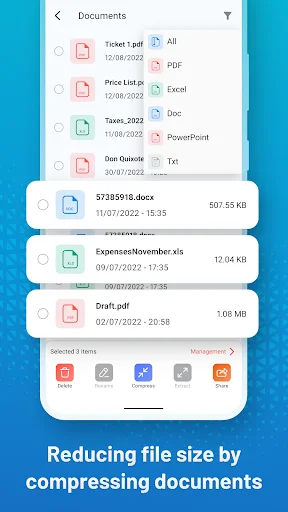
- Quick sharing: Compression is like gathering files and packing them in one place. This action helps you send multiple documents simultaneously and is incredibly convenient and fast.
- Extract files easily: This free archive viewer app also enables you to extract and unZip any zip files. A separate folder for the extracted files makes it a whole lot easier to find unRAR files.
- Very high compression ratio: The advanced compression algorithm enables you to compress large files to a small size in a pretty decent way. For an extra layer of file compressions, you can choose to compress your files to a zip format.
- Space saving: By compressing documents and archiving files, Zip Extractor - UnZIP & UnRAR helps you organize documents neatly and tidily to save maximum memory space.
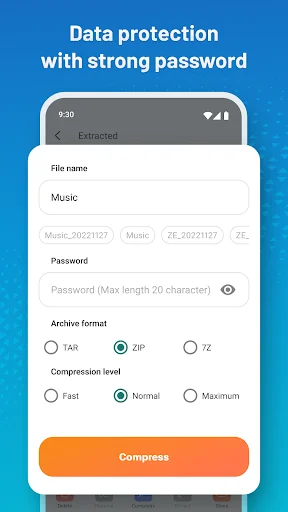
- Data security: Zip Extractor - Unzip & Unrar supports compressing and decompressing with passwords. As a result, the important and sensitive files will be totally protected.
That's not all!
- A simple, easy-to-understand interface helps users quickly grasp and use the extract .rar files, Zip, and Zip file compressor.
- Access to various file types, including DOCX, XLSX, PPTX, PDF, PNG, JPG, MP3, MP4, APK, TXT, etc., helping users compress various documents, images, videos, audios into the same convenient file for easy sending.
- Support compressing files to Zip format in just 2s, saving you maximum time.
- Compress many different files at once
- Securely protect essential documents by setting a password when compressing file Zip
- Easily extract Rar files, Zip file reader & Zip file compressor without WiFi, internet connection
- Support extract files while keeping the sound quality and resolution of the original image; users can be assured of the quality of the files after decompression.
- Compress many different files in Zip format while keeping file structure and reducing the file size, saving a lot of storage space.
Your contributions will help us continue to develop a better Zip Extractor - UnZIP & UnRAR in future versions. Our RAR opener feature is the most effective way to open RAR files.
Discover why Zip Extractor - Zip Opener app makes it easy to create, manage and extract Zip files on your device! Extract over 20 formats with Zip Extractor, compress them, or use the RAR opener feature!
With the Zip Extractor app, you get a powerful tool that will work as a:
- Zip Reader,
- Zip File Opener,
- RAR Extractor,
- Zip Extractor,
- File Compressor, and many more features!
Thank you for reading. We hope you have a nice day!
Use the Zip file opener tool and easily UnZIP and UnRAR any file formats you wish!
About
Zip Extractor - UnZIP & UnRAR - extractor, opener, and compressor is a handy application that helps you quickly compress many file formats into a convenient Zip file and extract them.
Fast and Easy-to-use Zip Extractor and Zip Opener!
Zip Extractor for Android
Discover why this is the most powerful yet straightforward Zip File Opener. UnZIP and unRAR files instantly. Use our Zip reader and unZip any file format you want.
Zip Extractor - UnZIP, UnRAR, or Compress any file formats easily!
Fantastic features of Zip Extractor - UnZIP & UnRAR app:
- Quick sharing: Compression is like gathering files and packing them in one place. This action helps you send multiple documents simultaneously and is incredibly convenient and fast.
- Extract files easily: This free archive viewer app also enables you to extract and unZip any zip files. A separate folder for the extracted files makes it a whole lot easier to find unRAR files.
- Very high compression ratio: The advanced compression algorithm enables you to compress large files to a small size in a pretty decent way. For an extra layer of file compressions, you can choose to compress your files to a zip format.
- Space saving: By compressing documents and archiving files, Zip Extractor - UnZIP & UnRAR helps you organize documents neatly and tidily to save maximum memory space.
- Data security: Zip Extractor - Unzip & Unrar supports compressing and decompressing with passwords. As a result, the important and sensitive files will be totally protected.
That's not all!
- A simple, easy-to-understand interface helps users quickly grasp and use the extract .rar files, Zip, and Zip file compressor.
- Access to various file types, including DOCX, XLSX, PPTX, PDF, PNG, JPG, MP3, MP4, APK, TXT, etc., helping users compress various documents, images, videos, audios into the same convenient file for easy sending.
- Support compressing files to Zip format in just 2s, saving you maximum time.
- Compress many different files at once
- Securely protect essential documents by setting a password when compressing file Zip
- Easily extract Rar files, Zip file reader & Zip file compressor without WiFi, internet connection
- Support extract files while keeping the sound quality and resolution of the original image; users can be assured of the quality of the files after decompression.
- Compress many different files in Zip format while keeping file structure and reducing the file size, saving a lot of storage space.
Your contributions will help us continue to develop a better Zip Extractor - UnZIP & UnRAR in future versions. Our RAR opener feature is the most effective way to open RAR files.
Discover why Zip Extractor - Zip Opener app makes it easy to create, manage and extract Zip files on your device! Extract over 20 formats with Zip Extractor, compress them, or use the RAR opener feature!
With the Zip Extractor app, you get a powerful tool that will work as a:
- Zip Reader,
- Zip File Opener,
- RAR Extractor,
- Zip Extractor,
- File Compressor, and many more features!
Thank you for reading. We hope you have a nice day!
Use the Zip file opener tool and easily UnZIP and UnRAR any file formats you wish!
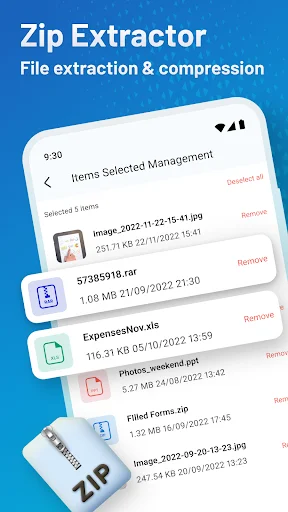
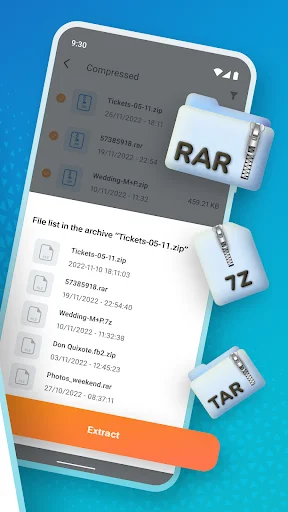
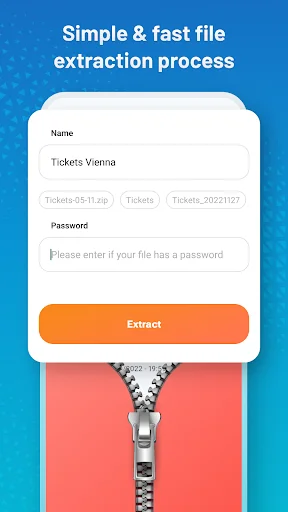
See How Simple File Management Can Be
Join 5 Million Users Who Trust Us
For days I've been trying to open this SVG file with no success. I was going to ask for my money back, which I didn't want to do. But I thought I had no choice, until I purchased this app. It took about 30 seconds and I had my file opened. Hooray! M.R.
there are some dodgy ads but so far this app is been very reliable and amazing I have some compressed files that are specifically for gaming they're completely legal as I have a legal copy that needs decompressing which this app helps greatly with.
Wow. Just amazing. I just used this app for the first time, and my intended file unzipped in a matter of seconds. I'M STOKED! SUCH HIGH SPEED AND RELIABILITY! IT DOESN'T GET ANY BETTER THAN THIS, RIGHT HERE!!!!!
I'm working on setting up a PS2 and PSP emulator on my phone with my Backbone controller, and just like the old days of using WinRar, this app does exactly what you need it to. Thanks Zip Extractor! 👌
So sorry but I can't find the location of the extracted file. Where exactly does it save to? Thank you for your response. I've managed to solve the issue.