An excellent app. for making a stylish signature. 5*👍
500,000+
Create Your Perfect Professional Signature Today
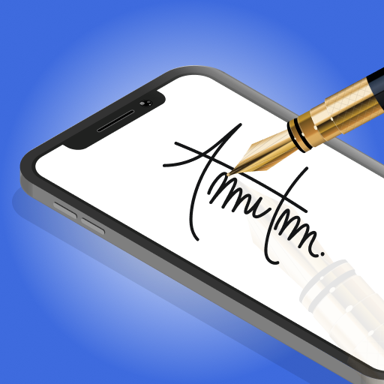
Design beautiful, customized signatures and sign documents instantly – no printing or scanning required. Transform the way you handle paperwork with stylish signatures that represent you perfectly.
500,000+
Create Your Perfect Professional Signature Today
Design beautiful, customized signatures and sign documents instantly – no printing or scanning required. Transform the way you handle paperwork with stylish signatures that represent you perfectly.
Everything You Need to Sign with Confidence
1
Design Your Signature Style
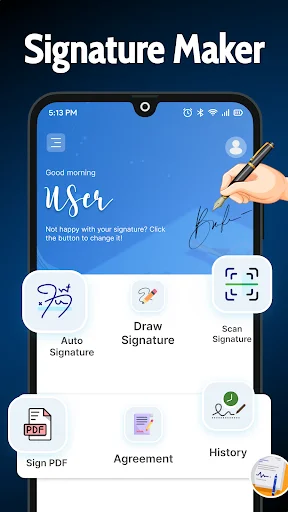
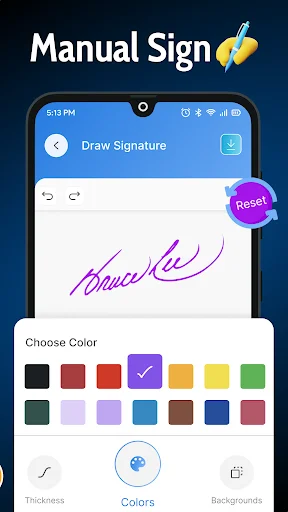
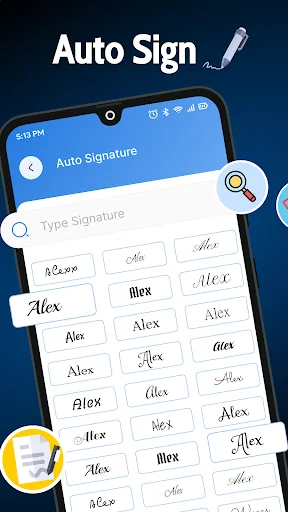
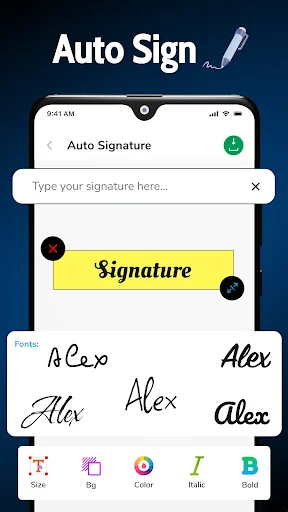
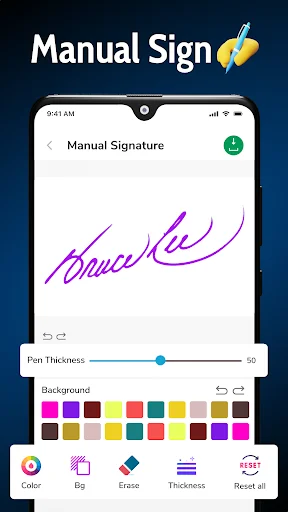
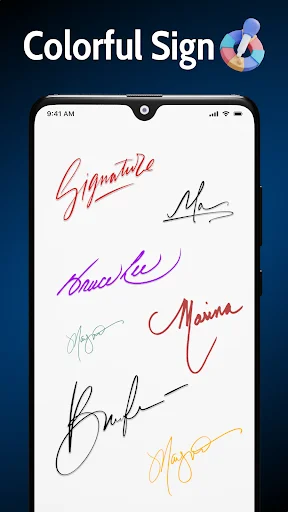
Choose from elegant fonts or draw your own unique signature by hand. Customize every detail including size, thickness, and spacing to create a signature that truly represents your professional identity.
2
Sign Documents in Seconds
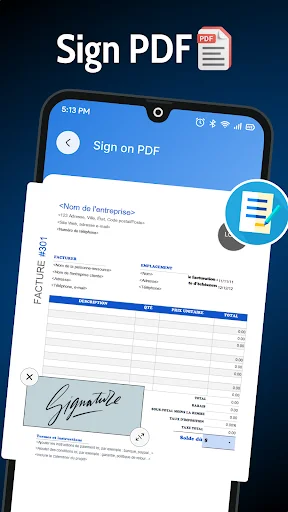
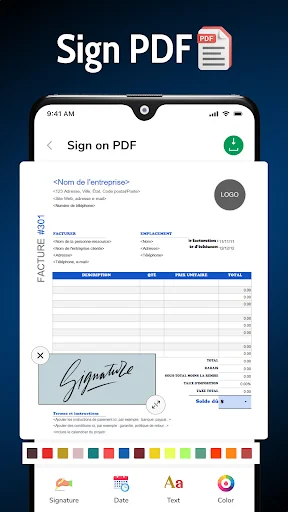
Electronically sign PDFs, contracts, and forms instantly from anywhere. Skip the hassle of printing, signing, and scanning – just tap and sign to complete important documents on the spot.
3
Keep Everything Organized
Store, manage, and share all your signed documents securely in one place. Access your important paperwork anytime you need it, with simple tools that make document management effortless.
4
Simple for Everyone
Create professional signatures with an easy-to-use interface designed for anyone. No technical skills needed – just open the app and start signing beautiful documents right away.
1
Design Your Signature Style
Choose from elegant fonts or draw your own unique signature by hand. Customize every detail including size, thickness, and spacing to create a signature that truly represents your professional identity.
2
Sign Documents in Seconds
Electronically sign PDFs, contracts, and forms instantly from anywhere. Skip the hassle of printing, signing, and scanning – just tap and sign to complete important documents on the spot.
3
Keep Everything Organized
Store, manage, and share all your signed documents securely in one place. Access your important paperwork anytime you need it, with simple tools that make document management effortless.
4
Simple for Everyone
Create professional signatures with an easy-to-use interface designed for anyone. No technical skills needed – just open the app and start signing beautiful documents right away.
About
eSignature Maker: Sign Generator Honoring your Captivating Name With Ease
Revolutionize the way you sign a document with this unmatched E Signature App: Sign Documents solution. If you want your signature to be in any name style other than just a signature or a digital name, this eSignature Maker: Sign Generator app has got you covered. Signing and managing documents has never been easier with intuitive tools and features. Enjoy the future with a cutting-edge Digital Signature App crafted for your everyday personal and business needs.
Essential Highlights of eSignature Maker: Sign Generator:
- eSignature Maker: Sign Generator: With an interface designed with user experience on the forefront
- E Signature Creator: Sign Maker: Change the size, thickness and spacing to suit the desired outcome
- Sign Creator: Esign App: Enhance your names with an advanced Electronic Signature: Fill And Sign PDF Documents
- Electronic Signature: Fill And Sign PDF Documents: Effortlessly Sign, fill and take charge of PDF documents
- E Signature App: Sign Documents: Affix your signature on contracts, forms and other essential documents and items
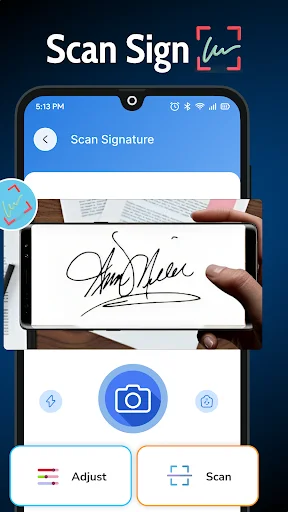
- PDF Signature Scanner: Scanners allow you to write your name on a PDF and insert it straight into the document
- Digital Signature App: An app to safely and effectively keep and share your digital name
Sign Documents with the Touch of a Button!
E Sign Maker- Signature Creator is one amazing application which allows users to sign any document digitally without much effort, whether it be signing a PDF, creating a name for oneself, or managing documents, this E Signature Creator: Sign Maker app has got users covered. The sign creator: Esign app's features make it easy for users to design a name suitable for casual use or business purposes.
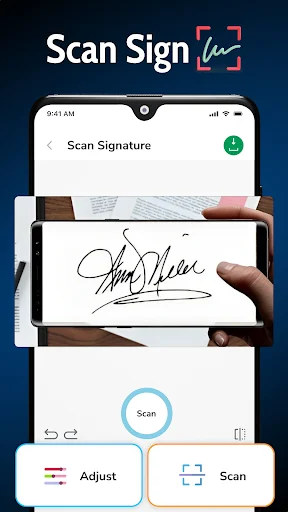
The sign creator: esign app and PDF signature scanner allow users to take high quality pictures of the documents and send them in a matter of seconds. The e signature maker: sign generator app enables users to fill out pdf forms electronically and therefore works for almost all professional fields.
All the Styles You Want:
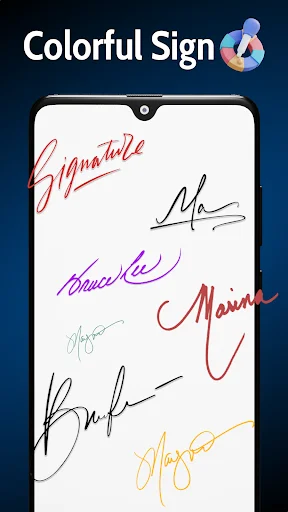
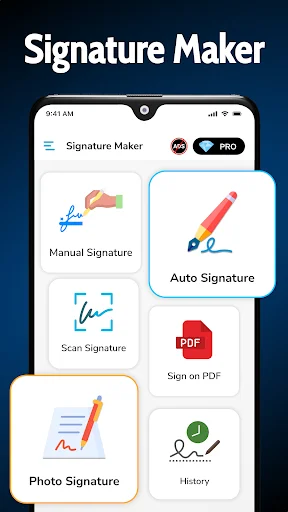
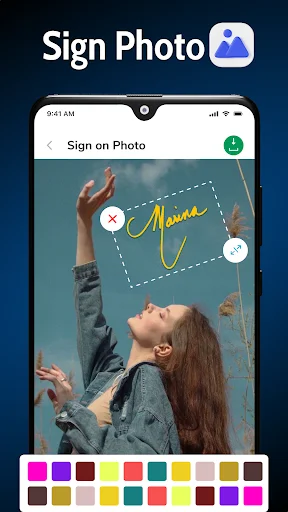
The e signature creator: sign maker allows the user to create an ideal name by choosing among a selection of stylish fonts and layouts, or they can opt to draw it out manually for a more personalized feel. With this E Signature App: Sign Documents, users can write or transparent names directly onto photos, letting them make their own one of a kind names.
Everything at One Place:
By using Electronic Signature: Fill And Sign PDF Documents app, users can dip, share, and securely preserve documents from a single interface. Electronic Signature: Fill And Sign PDF Documents creates an ease of file management, allowing users to attach their names to PDFs and digitally make and send them.
E Signature Creator: Sign Maker helps makes every document you autograph look professional by providing you the advanced PDF Signature Scanner Tool to write and scan documents.
Why Pick the E Signature App:
Join the era of no more need for paper names with the E Signature App. Sign Documents Whether you're a professional who needs to keep a lot of signed contracts or want to sign your name in a more unique and artistic fashion, this digital signature application is designed with great creativity, flexibility, and built-in user-friendliness.
Today, Have A Professional John Hancock!
The eSignature Maker: Sign Generator maximizes the recognition of your signature. This is an app available today get started making the best eSignature Maker: Sign Generator. With this awesome Sign Creator: Esign App change your name to another business level.
About
eSignature Maker: Sign Generator Honoring your Captivating Name With Ease
Revolutionize the way you sign a document with this unmatched E Signature App: Sign Documents solution. If you want your signature to be in any name style other than just a signature or a digital name, this eSignature Maker: Sign Generator app has got you covered. Signing and managing documents has never been easier with intuitive tools and features. Enjoy the future with a cutting-edge Digital Signature App crafted for your everyday personal and business needs.
Essential Highlights of eSignature Maker: Sign Generator:
- eSignature Maker: Sign Generator: With an interface designed with user experience on the forefront
- E Signature Creator: Sign Maker: Change the size, thickness and spacing to suit the desired outcome
- Sign Creator: Esign App: Enhance your names with an advanced Electronic Signature: Fill And Sign PDF Documents
- Electronic Signature: Fill And Sign PDF Documents: Effortlessly Sign, fill and take charge of PDF documents
- E Signature App: Sign Documents: Affix your signature on contracts, forms and other essential documents and items
- PDF Signature Scanner: Scanners allow you to write your name on a PDF and insert it straight into the document
- Digital Signature App: An app to safely and effectively keep and share your digital name
Sign Documents with the Touch of a Button!
E Sign Maker- Signature Creator is one amazing application which allows users to sign any document digitally without much effort, whether it be signing a PDF, creating a name for oneself, or managing documents, this E Signature Creator: Sign Maker app has got users covered. The sign creator: Esign app's features make it easy for users to design a name suitable for casual use or business purposes.
The sign creator: esign app and PDF signature scanner allow users to take high quality pictures of the documents and send them in a matter of seconds. The e signature maker: sign generator app enables users to fill out pdf forms electronically and therefore works for almost all professional fields.
All the Styles You Want:
The e signature creator: sign maker allows the user to create an ideal name by choosing among a selection of stylish fonts and layouts, or they can opt to draw it out manually for a more personalized feel. With this E Signature App: Sign Documents, users can write or transparent names directly onto photos, letting them make their own one of a kind names.
Everything at One Place:
By using Electronic Signature: Fill And Sign PDF Documents app, users can dip, share, and securely preserve documents from a single interface. Electronic Signature: Fill And Sign PDF Documents creates an ease of file management, allowing users to attach their names to PDFs and digitally make and send them.
E Signature Creator: Sign Maker helps makes every document you autograph look professional by providing you the advanced PDF Signature Scanner Tool to write and scan documents.
Why Pick the E Signature App:
Join the era of no more need for paper names with the E Signature App. Sign Documents Whether you're a professional who needs to keep a lot of signed contracts or want to sign your name in a more unique and artistic fashion, this digital signature application is designed with great creativity, flexibility, and built-in user-friendliness.
Today, Have A Professional John Hancock!
The eSignature Maker: Sign Generator maximizes the recognition of your signature. This is an app available today get started making the best eSignature Maker: Sign Generator. With this awesome Sign Creator: Esign App change your name to another business level.
See How Easy Beautiful Signatures Can Be
Loved by Users Around the World
Very useful and quicky helps every poor Filipinos
Incredible app, deserves thousand of stars
It is super complex and good.
Very simple, easy-to-use
Overall an amazing app