Love it! I don't know what the problem is with the others who are saying that it doesn't work, it would be great if you could hide the icon, doesn't save the screenshots anywhere. It worked first time for me on my Xiaomi A2, saves the grab in Picture/Screenshots and works perfectly from the pulldown notifications bar and all without annoying ads. What more can one want from a totally FREE application! We'll see what the future brings but for now, it's perfect. Thanks a lot for this great app. A+++ 👍

5,000,000+
Capture Screenshots With Just One Tap
Stop struggling with button combinations and awkward hand positions. Screenshot X makes capturing your screen effortless – just tap the floating icon and instantly grab any screenshot you need.
5,000,000+
Capture Screenshots With Just One Tap
Stop struggling with button combinations and awkward hand positions. Screenshot X makes capturing your screen effortless – just tap the floating icon and instantly grab any screenshot you need.
Simple Screen Capture That Actually Works
1
One-Tap Screen Capture
Forget pressing multiple buttons at once. Our floating icon lets you capture any screenshot with a single tap – no more failed attempts or awkward hand positions on your large phone.
2
Place The Button Anywhere
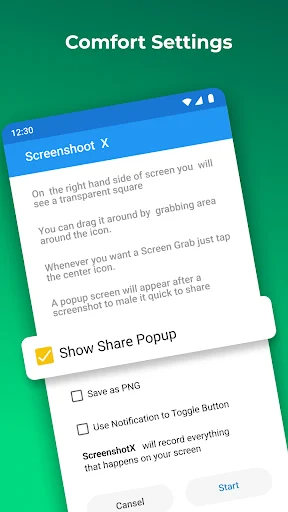
Move the capture icon to any spot on your screen that works for you. Keep it out of the way while browsing, then tap when you need to grab a screenshot. It's completely flexible.
3
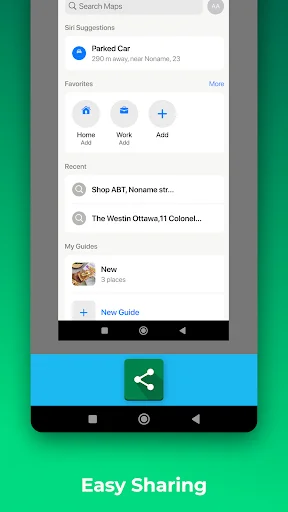
Share Screenshots Instantly
Capture and immediately share your screenshots through any app you use – messaging apps, email, cloud storage, or photo editors. No extra steps, just instant sharing when you need it.
4
Find Screenshots Easily
All your captured screens are automatically saved in one dedicated folder called Screen Grabs. No more searching through hundreds of photos to find that important screenshot you took last week.
1
One-Tap Screen Capture
Forget pressing multiple buttons at once. Our floating icon lets you capture any screenshot with a single tap – no more failed attempts or awkward hand positions on your large phone.
2
Place The Button Anywhere
Move the capture icon to any spot on your screen that works for you. Keep it out of the way while browsing, then tap when you need to grab a screenshot. It's completely flexible.
3
Share Screenshots Instantly
Capture and immediately share your screenshots through any app you use – messaging apps, email, cloud storage, or photo editors. No extra steps, just instant sharing when you need it.
4
Find Screenshots Easily
All your captured screens are automatically saved in one dedicated folder called Screen Grabs. No more searching through hundreds of photos to find that important screenshot you took last week.
About
Capture screenshots with one click!
Screenshot X - Screen Capture Tool - the fastest and easiest way to take and share screenshots!
Powerful Screenshot Tool - Capture Screenshots in 1 click!
Download Screenshot X, a FREE screen tool to instantly capture screens and share screenshots. Just open the app (snipping tool), and an icon will appear on your phone's screen. Tap on the icon anytime you want to grab a screenshot. Then you can immediately share or save the screenshot through other apps: messaging apps, emails, clouds, photo editing, or other phone tools!
Screen Capture for all device types
Tired of trying to capture screenshots with one hand or even two? With bigger phones, capturing the screen by pressing two buttons simultaneously is hard, and so are other gestures that mess up the screen. What if we tell you that we can help you to capture it in less than a second with only one tap of your finger with our handy screenshot capture tool? It's a flexible screen capture app that lets you share screen shots with anyone using phone tools already installed on your phone. Simple. Easy. Useful. And FREE!
Benefits of Using Screenshot X - Screen Capture Tool
- ONE TAP screen capture. Just tap on the icon, and our app will instantly capture a screenshot.
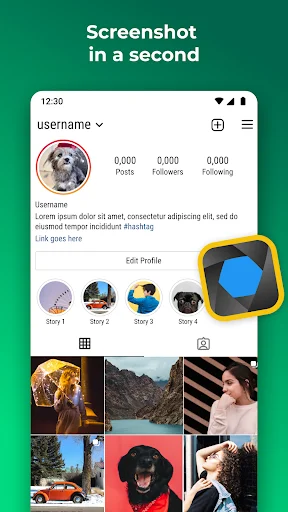
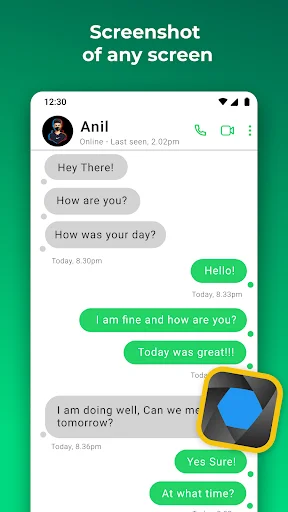
- Seeing something nice or funny on Instagram or chat sessions? Capture Screen with Screen Grabber feature!
- No one will know you've taken the screenshot. One tap on your phone screen, and you're done.
- Share the screen record through other apps: Emails, Facebook, Photo Editing apps, Cloud Service, or any phone tools you have.
- Move around the "capture screen" icon to anywhere on the screen for more comfortable viewing.
- Screenshot X - Capture Screen Tool saves each screenshot in a new picture file called Screen Grabs.
Want to see your contacts list from months ago? Easy, if you grab a screenshot of those important clients' phone numbers. The snapshot of your screen is saved in the file labeled Screen Grabs. Want to send a map or directions to your technically-impaired friends? It doesn't get any easier than clicking (screen capturing) and sending the screenshot or screen record.
Discover a powerful tool!
Pictures, app icons, maps, tools, contacts, addresses – no matter what's showing up on your screen, you can capture it with Screenshot X and save screenshots in one place, so you don't have to fumble for what you need now.
Enhances your Android experience in every way with Screenshot X - Screen Capture Tool!
About
Capture screenshots with one click!
Screenshot X - Screen Capture Tool - the fastest and easiest way to take and share screenshots!
Powerful Screenshot Tool - Capture Screenshots in 1 click!
Download Screenshot X, a FREE screen tool to instantly capture screens and share screenshots. Just open the app (snipping tool), and an icon will appear on your phone's screen. Tap on the icon anytime you want to grab a screenshot. Then you can immediately share or save the screenshot through other apps: messaging apps, emails, clouds, photo editing, or other phone tools!
Screen Capture for all device types
Tired of trying to capture screenshots with one hand or even two? With bigger phones, capturing the screen by pressing two buttons simultaneously is hard, and so are other gestures that mess up the screen. What if we tell you that we can help you to capture it in less than a second with only one tap of your finger with our handy screenshot capture tool? It's a flexible screen capture app that lets you share screen shots with anyone using phone tools already installed on your phone. Simple. Easy. Useful. And FREE!
Benefits of Using Screenshot X - Screen Capture Tool
- ONE TAP screen capture. Just tap on the icon, and our app will instantly capture a screenshot.
- Seeing something nice or funny on Instagram or chat sessions? Capture Screen with Screen Grabber feature!
- No one will know you've taken the screenshot. One tap on your phone screen, and you're done.
- Share the screen record through other apps: Emails, Facebook, Photo Editing apps, Cloud Service, or any phone tools you have.
- Move around the "capture screen" icon to anywhere on the screen for more comfortable viewing.
- Screenshot X - Capture Screen Tool saves each screenshot in a new picture file called Screen Grabs.
Want to see your contacts list from months ago? Easy, if you grab a screenshot of those important clients' phone numbers. The snapshot of your screen is saved in the file labeled Screen Grabs. Want to send a map or directions to your technically-impaired friends? It doesn't get any easier than clicking (screen capturing) and sending the screenshot or screen record.
Discover a powerful tool!
Pictures, app icons, maps, tools, contacts, addresses – no matter what's showing up on your screen, you can capture it with Screenshot X and save screenshots in one place, so you don't have to fumble for what you need now.
Enhances your Android experience in every way with Screenshot X - Screen Capture Tool!
See Screenshot X In Action
Join Over 1 Million Happy Users
This is the second occasion I have evaluated this particular App, but my last one, although a 🖖, was short on verbiage. The simpler an App appears in the binary world, nine out of ten times, that equates to a whole lot of programming and hats off to the individual who wrote it. The user will find this App to be "Simple Simon Simple." Allow tiny icon to show up over other Apps, then you are done. I have went years seeking an App such as this, and at 68, I cannot say enough good things about it.
There aren't many apps that last long on my phone, mainly because they fall into the "junk" category. This beauty does exactly what it advertises. The on-screen button can be moved anywhere to get it out of the way. Need a screenshot? Touch the button, it gets out of the way, takes the shot, displays it in a preview window, then puts everything back the way it was. It doesn't get much better than that.
This is simple enough for me to figure out. I have used it only an hour, but it seems happy to run on my T-Mobile OnePlus 7 Pro with Android 10. Much easier than squeezing volume down and power buttons, and more repeatable than the screen gestures I tried. I like the setup that allows me to toggle the onscreen button on or off as needed.
A fine and easy to use screen grabber app. I have used it for several months without any problems. Pics are easily accessible in the Gallery. My only wish is that the pics could be stored on my SD card instead of in the phone's storage where they can take up significant space. But I still highly recommend this app.
I have a hard time swiping my Galaxy S8 for screen shots. This makes it easy-peasy. I just have to press the button, which I can move all over the screen. It does the crab and I save it. It also gives the opportunity to share the saved shot. So far, I love it.