This application is superb and working perfectly.... All my lost contacts is back completed just the way I needed it.... Thank the organization and finder of this app. God bless you all. Correct application ✌️
5,000,000+
Never Lose Your Contacts Again
Keep your important phone numbers safe with easy backup and restore. Create a secure copy of your contacts and bring them back anytime you need them.
5,000,000+
Never Lose Your Contacts Again
Keep your important phone numbers safe with easy backup and restore. Create a secure copy of your contacts and bring them back anytime you need them.
Everything You Need to Protect Your Contacts
1
Simple Contact Backup
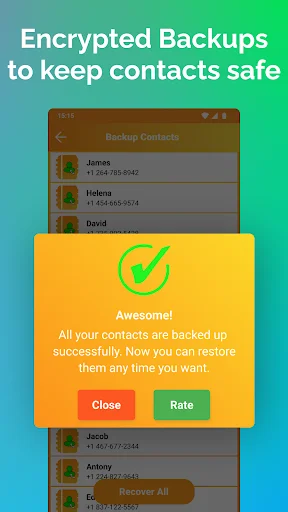
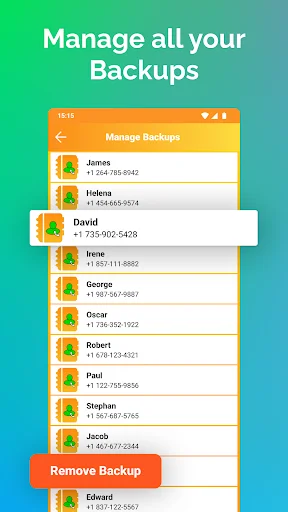
Create a safe copy of your entire address book with one tap. Your contacts are saved to a backup file on your phone, giving you peace of mind whenever you make changes or switch devices.
2
Easy Contact Recovery
Accidentally deleted an important number? Restore your contacts from your backup file in seconds. Get back every saved entry exactly as it was before any changes.
3
Remove Duplicate Contacts
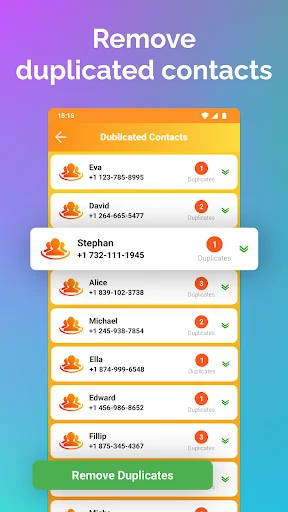
Clean up your messy contact list with the built-in duplicate removal tool. Scan for repeated entries and delete them automatically, making your address book easier to use and navigate.
4
Full Local Control
Your backup files stay on your device where you control them. No cloud uploads required – keep your contact information private and accessible whenever you need it.
About
What is Backup Deleted Contacts?
Keep a saved copy of your Android address book and bring saved entries back from an existing backup file. This contact backup app also helps you remove duplicate contacts so your list is easier to use.
Restoring contacts requires a backup that already contains them. Installing the app after a number has been deleted does not recover that number by itself.
Who is Backup Deleted Contacts for?
It is for people who want to save their current contacts before changing their address book, retrieve entries they previously backed up or tidy repeated names and numbers. If you accidentally delete a saved entry later, its backup gives you a copy to use.
What does Backup Deleted Contacts do?
- Create a contact backup file on your phone while the entries are still available.
- Copy saved contacts from an accessible backup into your address book.
- Keep phone numbers and related contact information in the backup.
- Scan for duplicate contacts and remove repeated entries.
How does Backup Deleted Contacts work?
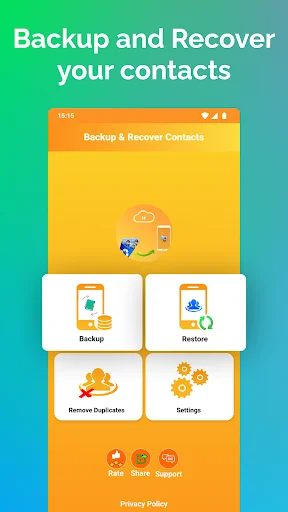
Open the app and choose Backup to save your contacts. Allow contacts access so it can read your address book for the backup; file storage access supports creating the backup file on your phone.
When you need saved entries again, choose Restore and use an existing backup. The app reads the file and adds its saved entries to your address book, using access to update contacts.
For cleanup, choose the duplicate removal tool. Make a backup before changing your contact list so you have a saved copy available.
Compatibility and requirements
You need an accessible backup file containing the entries you want to restore. A number that was never saved in that file cannot be recovered from it. Creating a backup after a deletion does not put the missing number into the backup.
Installing the app alone does not back up your contacts. Use Backup while the entries are available, and keep the resulting file accessible for later use. Contacts access supports reading and adding entries; file storage access supports saving the backup.
The app contains ads and offers in-app purchases.
Privacy
The app may collect and share app information and performance data, along with device or other identifiers.
Backup Deleted Contacts brings contact backups and duplicate removal together to help you maintain a saved copy and a more organized address book.
See How Easy Contact Protection Can Be

Trusted by Over 5 Million Users
can't believe what this app has done for me.big thanks go to the developers.you guys rock.recovering numbers that I deleted years back,this app continues to amaze me even 2 years after ,i first used in in 2022
Many of my phone numbers in my Contacts were gone unwillingly. This app managed to restore all the missing phone numbers back into my Contacts. Thank you very much.
This app works really well, I was able to retrieve deleted contacts from my sim. I am so grateful.
excellent....thank you very much for recovering my contacts which was delete unknowingly....
I've never found such a helping app like this.. I've recovered 300 contact in a minute..