Through this app, I was able to delete the file which could not be done by the phone.
5,000,000+
Take Complete Control of Your Files
Organize, recover, and secure all your files in one powerful app. Stop switching between multiple tools and start managing your Android device the easy way.
5,000,000+
Take Complete Control of Your Files
Organize, recover, and secure all your files in one powerful app. Stop switching between multiple tools and start managing your Android device the easy way.
Everything You Need to Manage Your Files
1
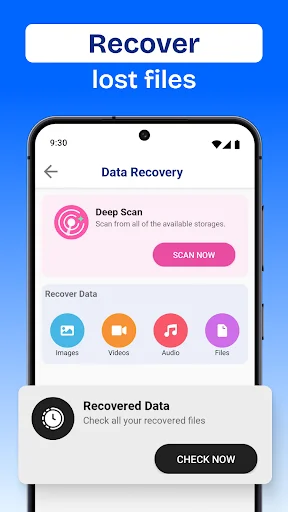
Recover Deleted Files Instantly
Accidentally deleted important photos or documents? Get them back in seconds. Our data recovery feature restores your deleted files quickly and easily, so you never lose precious memories again.
2
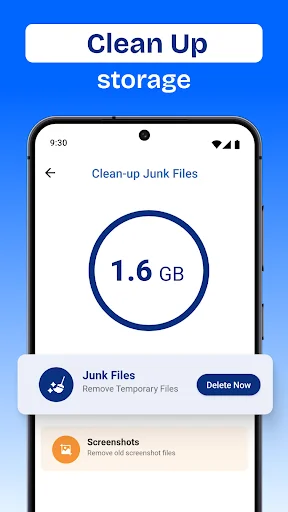
Free Up Space Automatically
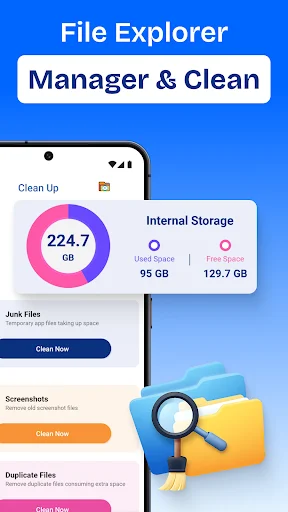
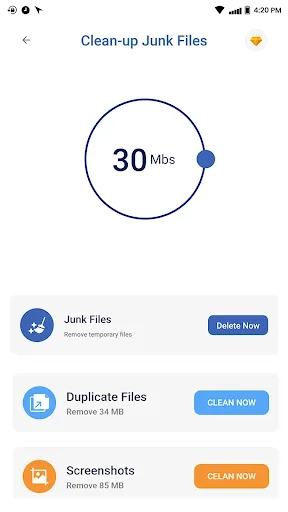
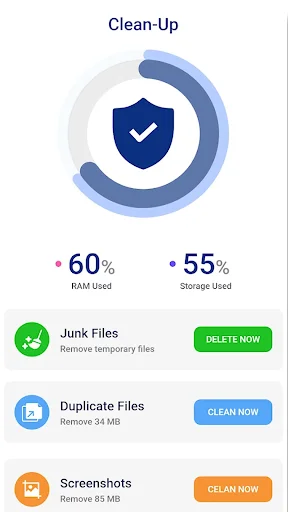
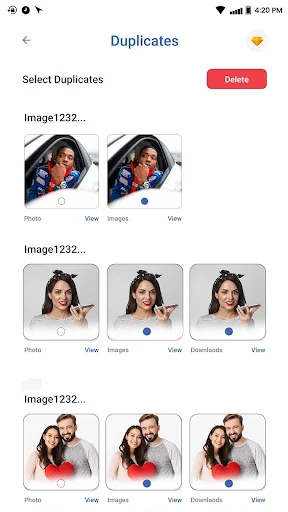
Running out of storage? Stop deleting apps you need. Our smart cleaner finds and removes junk files, duplicates, and space-wasting files to keep your device running smoothly.
3
Keep Private Files Secure
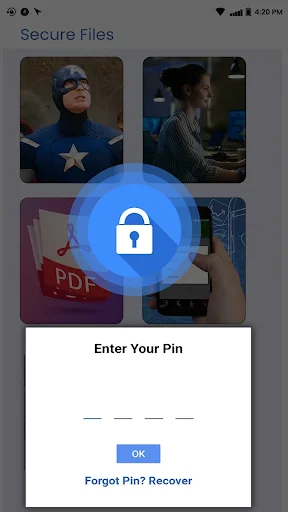
Protect sensitive photos, documents, and files with our encrypted secure folder. Your personal data stays hidden from prying eyes with administrator-level protection.
4
Do Everything in One App
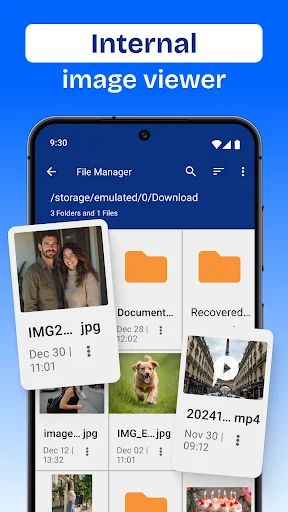
View photos, play music, and read PDFs without switching apps. Our built-in tools let you manage and enjoy all your files from one simple, easy-to-use interface.
1
Recover Deleted Files Instantly
Accidentally deleted important photos or documents? Get them back in seconds. Our data recovery feature restores your deleted files quickly and easily, so you never lose precious memories again.
2
Free Up Space Automatically
Running out of storage? Stop deleting apps you need. Our smart cleaner finds and removes junk files, duplicates, and space-wasting files to keep your device running smoothly.
3
Keep Private Files Secure
Protect sensitive photos, documents, and files with our encrypted secure folder. Your personal data stays hidden from prying eyes with administrator-level protection.
4
Do Everything in One App
View photos, play music, and read PDFs without switching apps. Our built-in tools let you manage and enjoy all your files from one simple, easy-to-use interface.
About
File Explorer For Android - The Ultimate File Browser App Is Now Here!
Are you still looking for a file explorer app that can be a one-stop solution to sort your data? As its name suggests, File Master Tool is your ultimate utility for all management related troubles! From organizing, recovering lost to managing the folder system, this File Master Tool has it all. This My File Manager For Android application's sophisticated functionality combined with simple UI design helps to keep tabs on the device's performance. Embrace disorder no more, and instead embrace effortless automation!
File Master Tool Highlights:
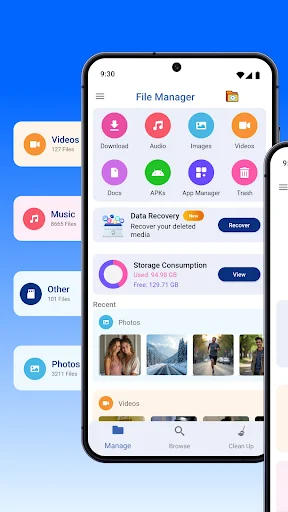
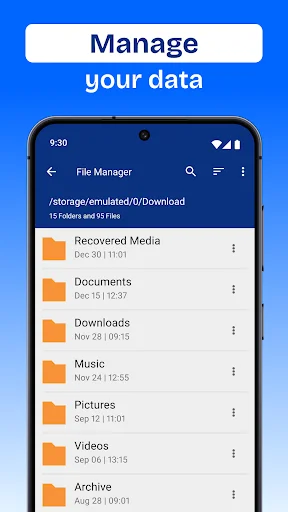
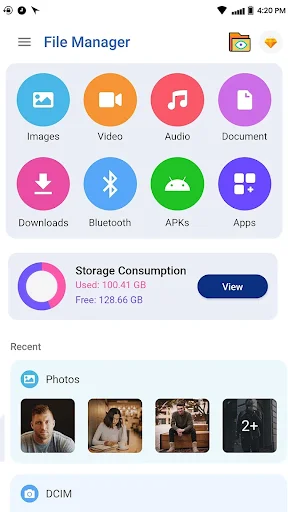
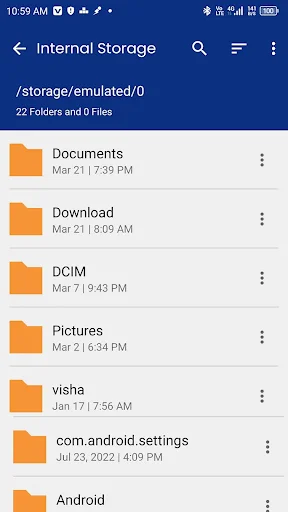
- All Folder Management: Use file move, copy, and delete features to manage internal and external disks easily
- Secure Folder: Encrypt and protect folder data to the administrator level
- Data Recovery: Deleted photos, videos files or media files recovery made simple
- Storage Cleaner: Delete unnecessary junk files, duplicates or oversized files whether it is done in your system
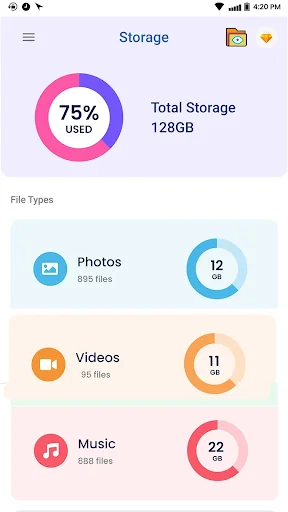
- Storage Analysis: Find applications and files which take most storage space from detailed storage
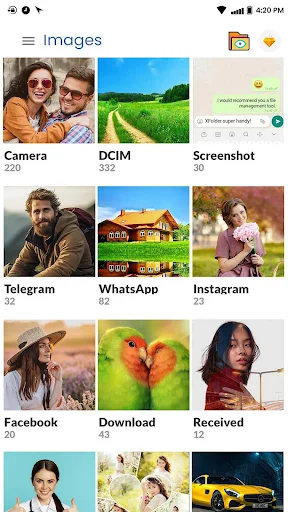
- Built-in Tools: Available are integrated viewers of images, music player, and PDF files
- Zip & Unzip: Reduce file size by compression and decompression fast
- APK Manager: Arrange the installed apps and APKs in an orderly manner
Make Professional-Like Organizing of Files and Folders a Walk in the Park!
With the Organize Files And Folders App, an all-in-one and the ultimate file organizer utility software, you can take control over your device like never before. This File Explorer For Android makes file browsing and management a walk in the park. This File Browser App makes sure everything is in order and easy to find.
Make Sure To Protect Your Data:
Your privacy matters. You can stash away sensitive files, photos, and documents with the Secure Folder feature. My File Manager For Android will do the rest to ensure your personal data is concealed from unauthorized access.
Regain Access To Lost Files With Ease:
Did you mistakenly remove something essential? No issues! With this File Explorer For Android, recovering deleted photographs, videos, and documents is as simple as point, click, and restore. Never lose your precious data again.
Free up Storage Space.
Running out of space? You no longer have to uninstall apps! This My File Manager For Android feature frees up storage space by determining and deleting unwanted files, duplicates, and junk files. This File Browser App, combined with Storage Analysis, makes sure that your device runs smoothly.
Your Ultimate Mobility Solution:
Why change between apps when you can do everything in one place? Organize Files And Folders is the ultimate File Organizer Utility. It includes an image viewer, music player, and PDF File Reader.
Organize Files And Folders Today!
Start managing your files more efficiently with the ultimate File Explorer For Android – the File Master Tool. Organize and secure your files within your device. This all-in-one My File Manager For Android works as a powerful File Organizer Utility as well as a reliable File Browser App. Download the app today and organize your digital life!
About
File Explorer For Android - The Ultimate File Browser App Is Now Here!
Are you still looking for a file explorer app that can be a one-stop solution to sort your data? As its name suggests, File Master Tool is your ultimate utility for all management related troubles! From organizing, recovering lost to managing the folder system, this File Master Tool has it all. This My File Manager For Android application's sophisticated functionality combined with simple UI design helps to keep tabs on the device's performance. Embrace disorder no more, and instead embrace effortless automation!
File Master Tool Highlights:
- All Folder Management: Use file move, copy, and delete features to manage internal and external disks easily
- Secure Folder: Encrypt and protect folder data to the administrator level
- Data Recovery: Deleted photos, videos files or media files recovery made simple
- Storage Cleaner: Delete unnecessary junk files, duplicates or oversized files whether it is done in your system
- Storage Analysis: Find applications and files which take most storage space from detailed storage
- Built-in Tools: Available are integrated viewers of images, music player, and PDF files
- Zip & Unzip: Reduce file size by compression and decompression fast
- APK Manager: Arrange the installed apps and APKs in an orderly manner
Make Professional-Like Organizing of Files and Folders a Walk in the Park!
With the Organize Files And Folders App, an all-in-one and the ultimate file organizer utility software, you can take control over your device like never before. This File Explorer For Android makes file browsing and management a walk in the park. This File Browser App makes sure everything is in order and easy to find.
Make Sure To Protect Your Data:
Your privacy matters. You can stash away sensitive files, photos, and documents with the Secure Folder feature. My File Manager For Android will do the rest to ensure your personal data is concealed from unauthorized access.
Regain Access To Lost Files With Ease:
Did you mistakenly remove something essential? No issues! With this File Explorer For Android, recovering deleted photographs, videos, and documents is as simple as point, click, and restore. Never lose your precious data again.
Free up Storage Space.
Running out of space? You no longer have to uninstall apps! This My File Manager For Android feature frees up storage space by determining and deleting unwanted files, duplicates, and junk files. This File Browser App, combined with Storage Analysis, makes sure that your device runs smoothly.
Your Ultimate Mobility Solution:
Why change between apps when you can do everything in one place? Organize Files And Folders is the ultimate File Organizer Utility. It includes an image viewer, music player, and PDF File Reader.
Organize Files And Folders Today!
Start managing your files more efficiently with the ultimate File Explorer For Android – the File Master Tool. Organize and secure your files within your device. This all-in-one My File Manager For Android works as a powerful File Organizer Utility as well as a reliable File Browser App. Download the app today and organize your digital life!
See How Easy File Management Can Be
Join 5 Million Happy Users
Good app to manage and organyse the types of files. The app explores it deeply.
I can actually find all of my music that I put on my phone 😁
It brings back old stored things, it's really the explorer
I found this app very nice and cool and I love it
Best app for finding your lost files